# Camera Movement (/en/realtime-media/interactive-live-streaming/build/manage-video-and-streaming/camera-movement/android)
> For AI agents: see the complete documentation index at [llms.txt](/llms.txt).
The Camera Movement extension enhances user experience by providing rhythmic and immersive interactions through dynamic camera movements.
## Applicable use-cases [#applicable-use-cases]
Camera Movement can be flexibly used in the following use-cases:
* **Live entertainment broadcasts**: Highlight the host's unique style and expressions with various camera rhythm modes.
* **Meetings and education**: Use portrait lock mode to keep the focus on the key presenter with intelligent tracking and lens adjustments, enhancing professionalism and interactivity.
## Understand the tech [#understand-the-tech]
The Camera Movement extension includes the following functions:
| Function | Description |
| ------------------------------ | ------------------------------------------------------------------------------------------------------------------------------------------------------------------------------------------------------------- |
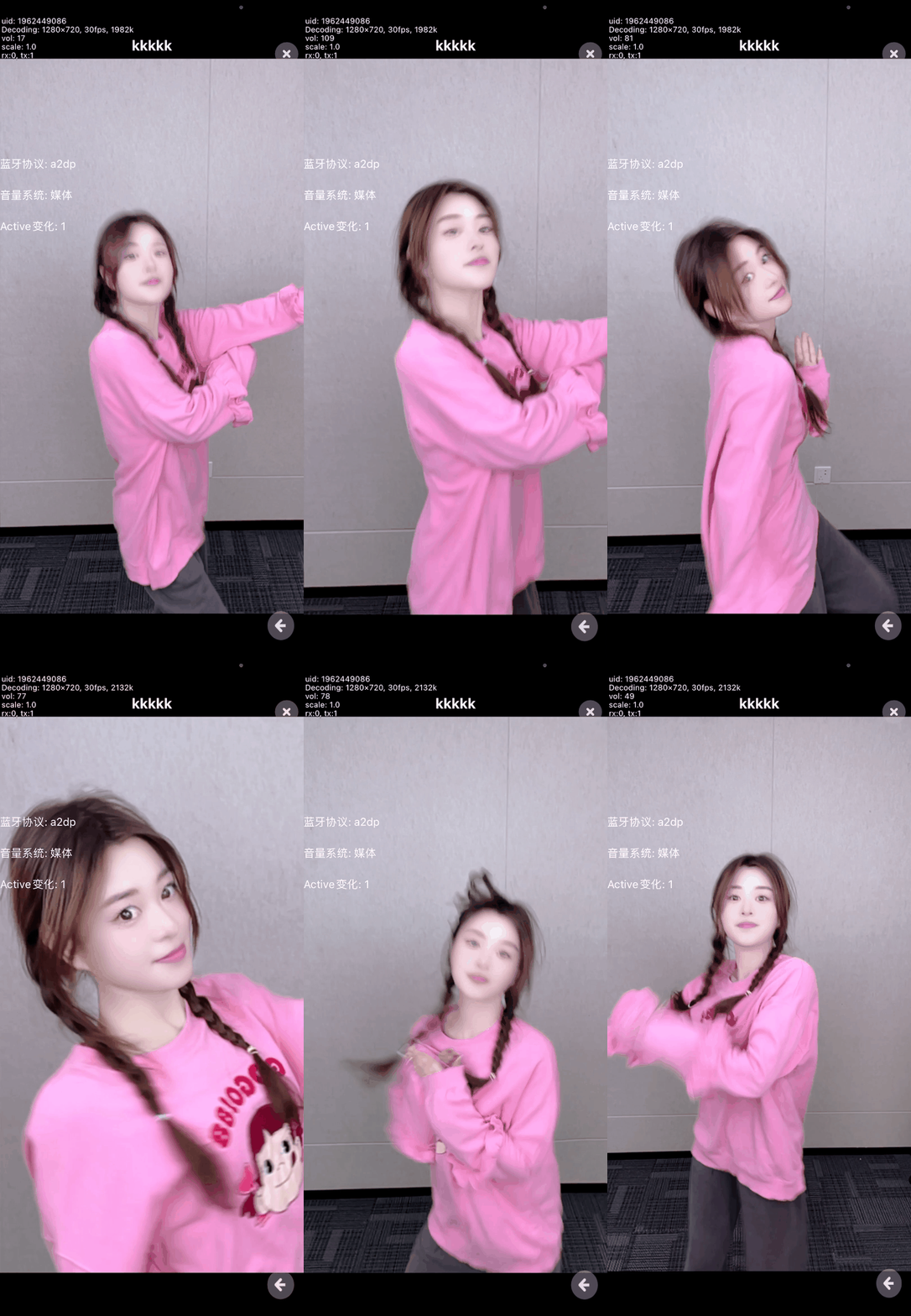
| Portrait lock mode | Utilizes the face recognition technology to track and lock onto the portrait subject in real time, keeping them centered in the frame and preventing deviations that could impact the interactive experience. |
| Heartbeat mode | An intelligent algorithm simulates the rhythm of a human heartbeat and integrates it into the video, making scene transitions more dynamic. |
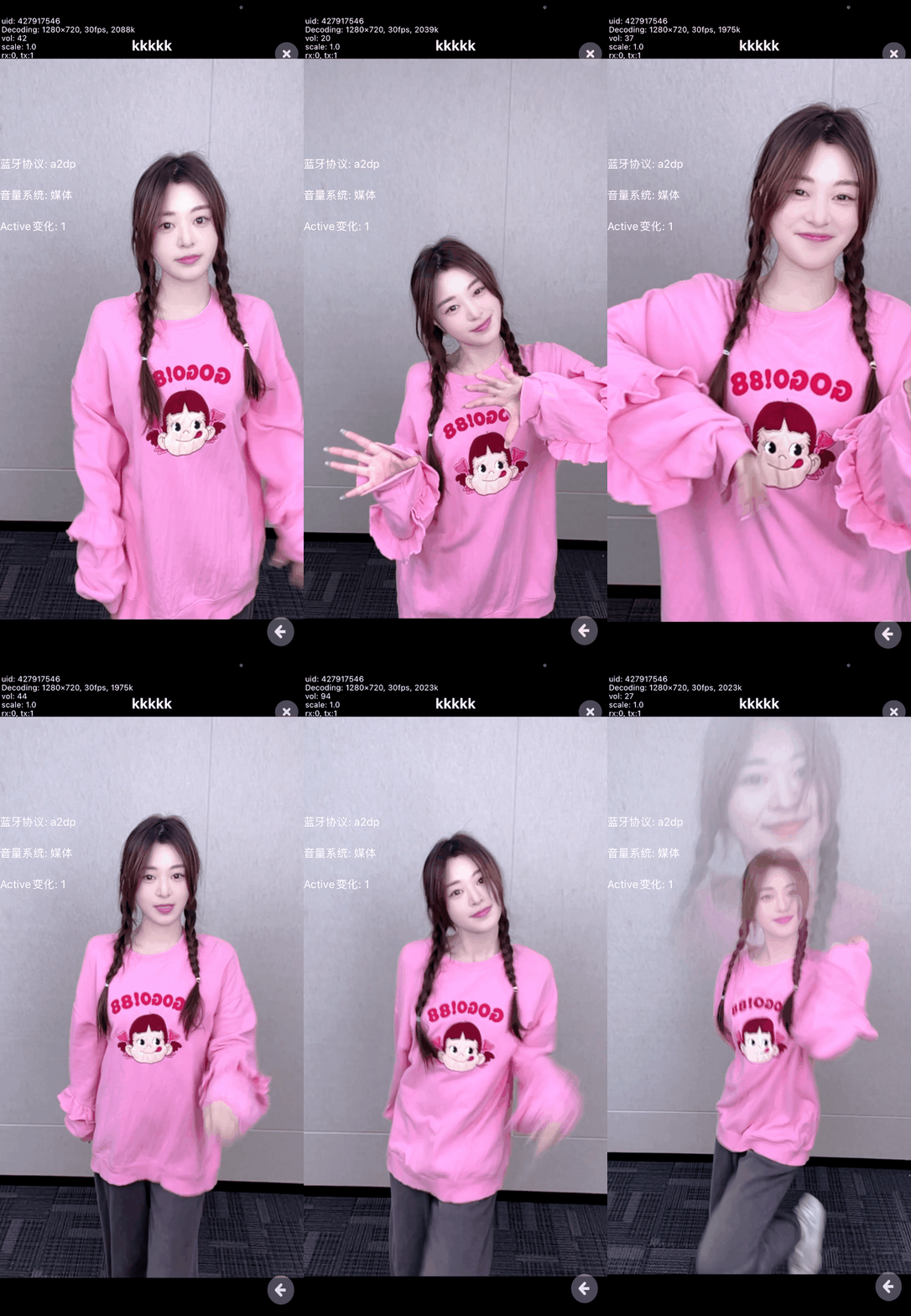
| Portrait light and shadow mode | Displays a virtual image behind the host to create unique light and shadow effects, making the host's performance more striking. |
| Up and down rhythm | Provides more freedom and flexibility for camera movements through different rhythmic modes, presenting diverse perspectives and offering a wider interactive space. |
| Left and right rhythm | Provides more freedom and flexibility for camera movements through different rhythmic modes, presenting diverse perspectives and offering a wider interactive space. |
| Back and forth rhythm | Provides more freedom and flexibility for camera movements through different rhythmic modes, presenting diverse perspectives and offering a wider interactive space. |
The effects of some functions are as follows:
**Portrait light and shadow mode**
 **Portrait lock mode**
 ## Prerequisites [#prerequisites]
To follow this procedure, you must have:
* Integrated the v4.2.x or v4.3.x of the Video SDK and implemented basic real-time audio and video functions in your app. See [SDK quickstart](/en/realtime-media/video/get-started-sdk).
## Prerequisites [#prerequisites]
To follow this procedure, you must have:
* Integrated the v4.2.x or v4.3.x of the Video SDK and implemented basic real-time audio and video functions in your app. See [SDK quickstart](/en/realtime-media/video/get-started-sdk).
- When integrating through Maven Central, specify `io.agora.rtc:full-sdk:x.y.z` and replace `x.y.z` with the specific SDK version number.
- The MetaKit extension uses the Face Capture extension ( `libagora_face_capture_extension.so`) and the Virtual Background extension (`libagora_segmentation_extension.so`). You can delete unnecessary extensions as needed to reduce the size of the app.
* Android Studio v4.1 or above.
* Android API level 16 or above.
* An Android device running Android 4.1 or above with a functional front-facing camera and microphone.
## Project setup [#project-setup]
Before you start, download the Camera Movement extension and add it to the Video SDK.
### Download the extension [#download-the-extension]
1. [Download](https://download.agora.io/sdk/release/Agora_Portrait_Rhythm_SDK_for_Android_v1_2_0.zip?_gl=1*nexxqg*_gcl_au*MTYzNTEzMjI0Ni4xNzExMDk2MDA3*_ga*MjA2MzYxMjY4Mi4xNzAzMDczMjA1*_ga_BFVGG7E02W*MTcxODQ2OTk2NC4zMjkuMS4xNzE4NDcxNTYyLjAuMC4w) and unzip the Camera Movement package.
2. Integrate the extension from the corresponding version folder according to the Video SDK version used in your app. For example, if your app uses version 4.2.6, integrate the extension from the `./sdk/4.2` directory.
The `libagora_portrait_rhythm_extension.so` is the dynamic library of the extension, currently supporting the arm64-v8a and armeabi-v7a architectures.
### Add extension to your app [#add-extension-to-your-app]
According to your target development architecture, copy `libagora_portrait_rhythm_extension.so` to the dynamic library directory of the Video SDK located at `/rtc/sdk/`.
## Implement the logic [#implement-the-logic]
This section explains how to integrate the Camera Movement extension into your project.
### Register the extension [#register-the-extension]
After initializing `RtcEngine`, call `loadExtensionProvider` to load the Camera Movement library, and then call `registerExtension` to register the extension.
Load and register Camera Movement before calling `enableVideo` to enable the video module.
Java
Kotlin
```java
// Load the dynamic library
mRtcEngine.loadExtensionProvider("agora_portrait_rhythm_extension");
// Register the extension
mRtcEngine.registerExtension("agora_video_filters_portrait_rhythm", "portrait_rhythm", Constants.MediaSourceType.PRIMARY_CAMERA_SOURCE);
// Enable the video module
mRtcEngine.enableVideo();
```
```kotlin
// Load the dynamic library
mRtcEngine.loadExtensionProvider("agora_portrait_rhythm_extension")
// Register the extension
mRtcEngine.registerExtension("agora_video_filters_portrait_rhythm", "portrait_rhythm", Constants.MediaSourceType.PRIMARY_CAMERA_SOURCE)
// Enable the video module
mRtcEngine.enableVideo()
```
### Enable Camera Movement [#enable-camera-movement]
Call `startPreview` to start the video preview, then call `enableExtension` to turn on or off the Camera Movement extension.
Java
Kotlin
```java
// Turn on Camera Movement
mRtcEngine.enableExtension("agora_video_filters_portrait_rhythm", "portrait_rhythm", true);
```
```kotlin
// Turn on Camera Movement
mRtcEngine.enableExtension("agora_video_filters_portrait_rhythm", "portrait_rhythm", true)
```
### Set or switch camera movement effects [#set-or-switch-camera-movement-effects]
To set or switch the camera movement effect, call `setExtensionProperty` (Android) and pass in key and value to achieve effects such as heartbeat rhythm, portrait rhythm, and front and back camera movement. For details, see the [key-value description](#key-value-description).
Java
Kotlin
```java
// Set to heartbeat rhythm effect
mRtcEngine.setExtensionProperty("agora_video_filters_portrait_rhythm", "portrait_rhythm", "mode", "1");
```
```kotlin
// Set to heartbeat rhythm effect
mRtcEngine.setExtensionProperty("agora_video_filters_portrait_rhythm", "portrait_rhythm", "mode", "1")
```
## Reference [#reference]
This section contains content that completes the information in this page, or points you to documentation that explains other aspects to this product.
### Key-value description [#key-value-description]
Refer to the table below and pass the corresponding key and value when calling `setExtensionProperty` to achieve the desired Camera Movement effect.
| Effect | Key | Value | Description |
| ------------------------------ | ------ | ----- | ---------------------------------------------------------------------------------------------------------- |
| Heartbeat | `mode` | `1` | The focus quickly increases and decreases, mimicking the rhythm of a heartbeat. |
| Portrait motion | `mode` | `2` | The focal length slowly increases and then decreases, shaking at its smallest point with a shadow overlay. |
| Front-to-back camera movement | `mode` | `3` | The focal length slowly increases and then decreases with a smooth but uneven zoom rate. |
| Up and down camera movement | `mode` | `4` | The camera moves up and then down. |
| Left and right camera movement | `mode` | `5` | The camera moves left first and then right. |
| Portrait lock L | `mode` | `6` | Locks the center of the face at a fixed point (2/5 of the upper middle part of the screen). |
| Portrait lock P | `mode` | `7` | Locks the center of the face on the central axis of the screen. |