# Thread management (/en/realtime-media/im/build/build-groups-rooms-and-threads/threading/thread-management/web)
> For AI agents: see the complete documentation index at [llms.txt](/llms.txt).
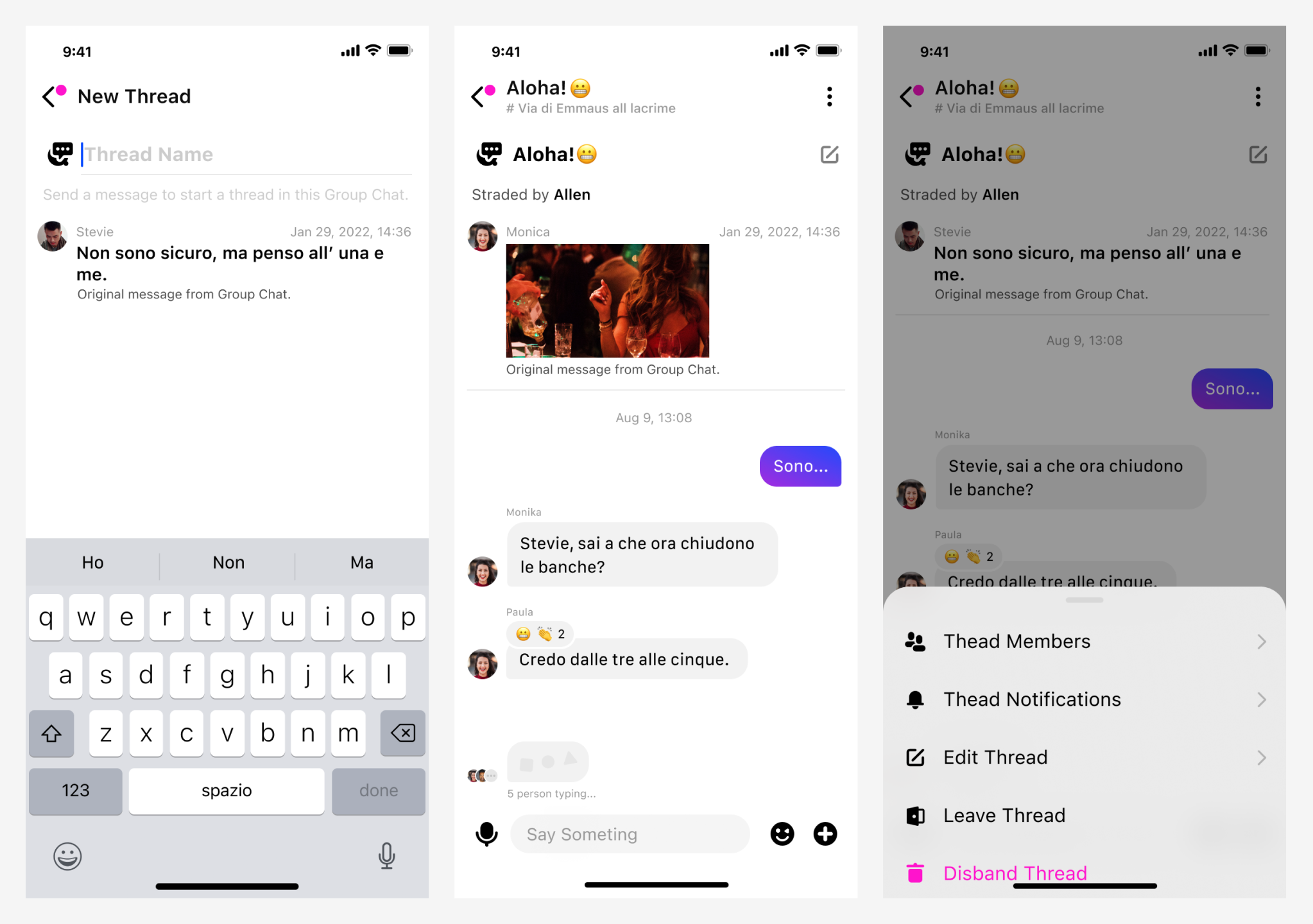
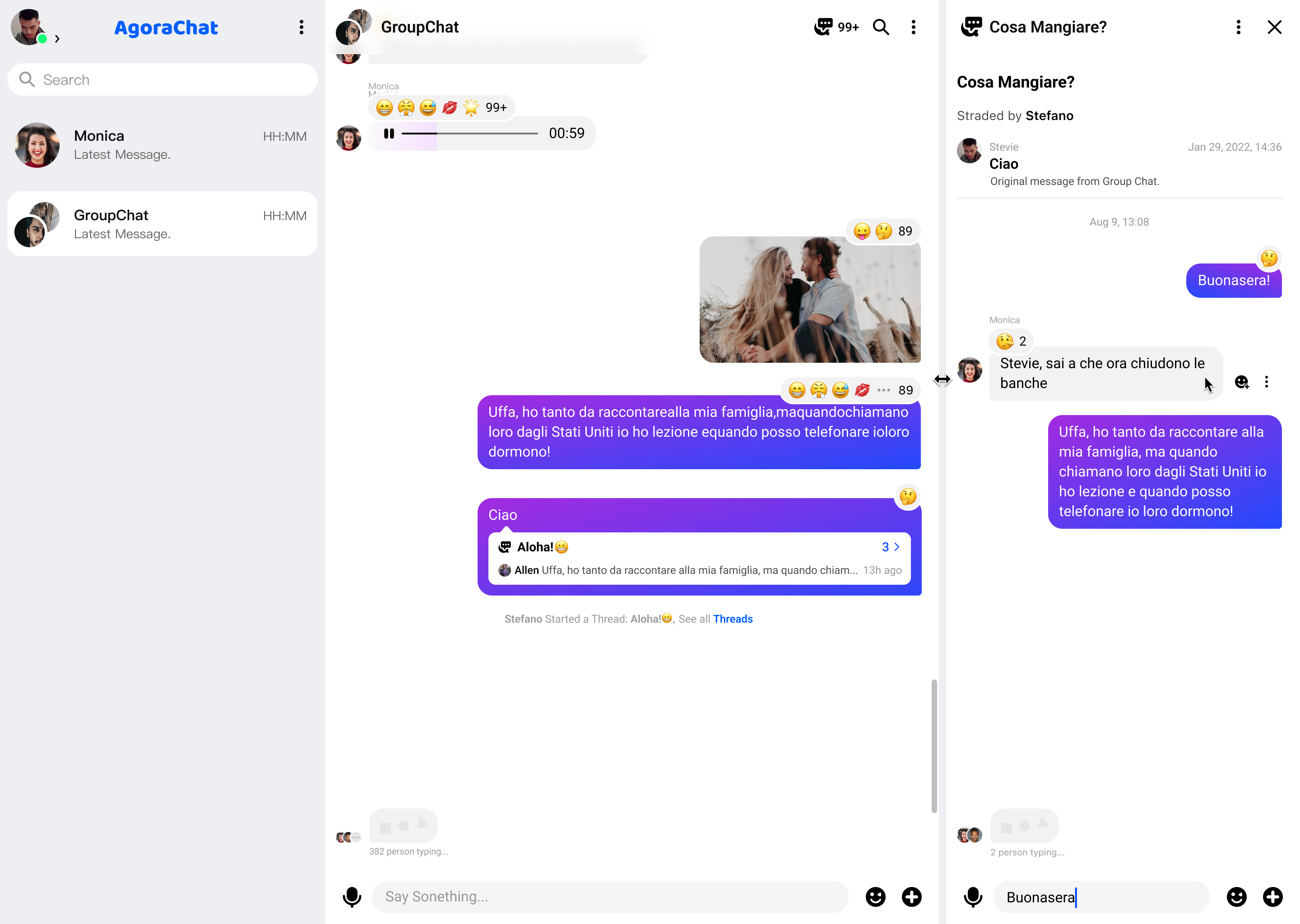
Threads enable users to create a separate conversation from a specific message within a chat group to keep the main chat uncluttered, as shown in the following illustration:
This page shows how to use the Chat SDK to create and manage threads in your app.
## Understand the tech [#understand-the-tech-6]
The Chat SDK allow you to implement the following features:
## Prerequisites [#prerequisites-6]
Before proceeding, ensure that you meet the following requirements:
* You have initialized the Chat SDK. For details, see [SDK quickstart](../../../get-started-sdk).
* You understand the call frequency limit of the Chat APIs supported by different pricing plans as described in [Limitations](../../limitations).
The thread feature is supported by all types of [Pricing Plans](../../../reference/pricing-plan-details) and is enabled by default once you have enabled Chat in [Agora Console](https://console.agora.io/v2).
## Implementation [#implementation-6]
This section describes how to call the APIs provided by the Chat SDK to implement thread features.
### Create a thread [#create-a-thread-6]
All chat group members can call `createChatThread` to create a thread from a specific message in a chat group.
Once a thread is created in a chat group, all chat group members receive the `onChatThreadChange` callback triggered by the `create` event. In a multi-device use-case, all the other devices receive the `onMultiDeviceEvent` callback triggered by the `chatThreadCreate` event.
The following sample code shows how to create a thread in a chat group:
```javascript
// parentId: The ID of a chat group where a thread resides.
// threadName: The name of a thread. The maximum length of a thread name is 64 characters.
// messageId: The ID of a message, from which a thread is created.
chatClient.createChatThread({
parentId: "parentId",
name: "threadName",
messageId: "messageId",
});
// Listen for the creating thread callback.
chatClient.addEventHandler("handlerId", {
onChatThreadChange: (threadMsg) => {
console.log(threadMsg);
},
});
```
### Destroy a thread [#destroy-a-thread-6]
Only the chat group owner and admins can call `destroyChatThread` to disband a thread in a chat group.
Once a thread is disbanded, all chat group members receive the `onChatThreadChange` callback triggered by the `destroy` event. In a multi-device use-case, all the other devices receive the `onMultiDeviceEvent` callback triggered by the `chatThreadDestroy` event.
Once a thread is destroyed or the chat group where a thread resides is
destroyed, all data of the thread is deleted from the local database and
memory.
The following sample code shows how to destroy a thread:
```javascript
// chatThreadId: The ID of a thread that you want to destroy.
chatClient.destroyChatThread({ chatThreadId: "chatThreadId" });
// Listen for the destroying thread callback.
chatClient.addEventHandler("handlerId", {
onChatThreadChange: (threadMsg) => {
console.log(threadMsg);
},
});
```
### Join a thread [#join-a-thread-6]
All chat group members can refer to the following steps to join a thread:
1. Use either of the following two approaches to retrieve the thread ID:
* Retrieve the thread list in a chat group by calling [`getChatThreads`](#fetch), and locate the ID of the thread that you want to join.
* Retrieve the thread ID within the `onChatThreadChange` callback that you receive.
2. Call `joinChatThread` to pass in the thread ID and join the specified thread.
In a multi-device use-case, all the other devices receive the `onMultiDeviceEvent` callback triggered by the `chatThreadJoin` event.
The following sample code shows how to join a thread:
```javascript
// chatThreadId: The ID of a thread that you want to join.
chatClient.joinChatThread({ chatThreadId: "chatThreadId" });
```
### Leave a thread [#leave-a-thread-6]
All thread members can call `leaveChatThread` to leave a thread. Once a member leaves a thread, they can no longer receive the thread messages.
In a multi-device use-case, all the other devices receive the `onMultiDeviceEvent` callback triggered by the `chatThreadLeave` event.
The following sample code shows how to leave a thread:
```javascript
// chatThreadId: The ID of a thread that you want to leave.
chatClient.leaveChatThread({ chatThreadId: "chatThreadId" });
```
### Remove a member from a thread [#remove-a-member-from-a-thread-6]
Only the chat group owner and admins can call `removeChatThreadMember` to remove the specified member from a thread.
Once a member is removed from a thread, they receive the `onChatThreadChange` callback triggered by the `userRemove` event and can no longer receive the thread messages.
The following sample code shows how to remove a member from a thread:
```javascript
// chatThreadId: The ID of a thread.
// username: The ID of the user to be removed from a thread.
chatClient.removeChatThreadMember({
chatThreadId: "chatThreadId",
username: "username",
});
```
### Update the name of a thread [#update-the-name-of-a-thread-6]
Only the chat group owner, chat group admins, and thread creator can call `changeChatThreadName` to update a thread name.
Once a thread name is updated, all chat group members receive the `onChatThreadChange` callback triggered by the `update` event. In a multi-device use-case, all the other devices receive the `onMultiDeviceEvent` callback triggered by the `chatThreadNameUpdate` event.
The following sample code shows how to update a thread name:
```javascript
// chatThreadId: The ID of a thread.
// name: The updated thread name. The maximum length of a thread name is 64 characters.
chatClient.changeChatThreadName({ chatThreadId: "chatThreadId", name: "name" });
// Listen for the updating thread name callback.
chatClient.addEventHandler("handlerId", {
onChatThreadChange: (threadMsg) => {
console.log(threadMsg);
},
});
```
### Retrieve the attributes of a thread [#retrieve-the-attributes-of-a-thread-6]
All chat group members can call `getChatThreadDetail` to retrieve the thread attributes from the server.
The following sample code shows how to retrieve the thread attributes:
```javascript
// chatThreadID: The thread ID.
chatClient.getChatThreadDetail({ chatThreadId: "chatThreadId" }).then((res) => {
console.log(res);
});
```
### Retrieve the member list of a thread [#retrieve-the-member-list-of-a-thread-6]
All chat group members can call `getChatThreadMembers` to retrieve a paginated member list of a thread from the server, as shown in the following sample code:
```javascript
// chatThreadId: The thread ID.
// pageSize: The maximum number of members to retrieve per page. The range is [1, 50].
// cursor: The position from which to start getting data. Pass in `null` or an empty string at the first call.
chatClient
.getChatThreadMembers({
chatThreadId: "chatThreadId ",
pageSize: 20,
cursor: null,
})
.then((res) => {
console.log(res);
});
```
### Retrieve a thread list [#retrieve-a-thread-list-6]
Users can call `getJoinedChatThreads` to retrieve a paginated list from the server of all the threads they have joined, as shown in the following sample code:
```javascript
// pageSize: The maximum number of threads to retrieve per page. The range is [1, 50].
// cursor: The position from which to start getting data. Pass in `null` or an empty string at the first call.
chatClient
.getJoinedChatThreads({ cursor: "cursor", pageSize: 20 })
.then((res) => {
console.log(res);
});
```
Users can call `getJoinedChatThreads` to retrieve a paginated list from the server of all the threads they have joined in a specified chat group, as shown in the following sample code:
```javascript
// parentId: The chat group ID.
// pageSize: The maximum number of threads to retrieve per page. The range is [1, 50].
// cursor: The position from which to start getting data. Pass in `null` or an empty string at the first call.
chatClient
.getJoinedChatThreads({
parentId: "parentId",
pageSize: 20,
cursor: null,
})
.then((res) => {
console.log(res);
});
```
Users can also call `getChatThreads` to retrieve a paginated list from the server of all the threads in a specified chat group, as shown in the following sample code:
```javascript
// parentId: The chat group ID.
// pageSize: The maximum number of threads to retrieve per page. The range is [1, 50].
// cursor: The position from which to start getting data. Pass in `null` or an empty string at the first call.
chatClient
.getChatThreads({ parentId: "parentId", pageSize: 20, cursor: null })
.then((res) => {
console.log(res);
});
```
### Retrieve the latest message from multiple threads [#retrieve-the-latest-message-from-multiple-threads-6]
Users can call `getChatThreadLastMessage` to retrieve the latest message from multiple threads.
The following sample code shows how to retrieve the latest message from multiple threads:
```javascript
// chatThreadIds: The thread IDs. You can pass in a maximum of 20 thread IDs.
chatClient
.getChatThreadLastMessage({
chatThreadIds: ["chatThreadId1", "chatThreadId2"],
})
.then((res) => {
console.log(res);
});
```